PowerDirector - Video Editor
- 4.2
- Rating
- 100.00M
- Installs
- Free
- Price

 Analysis by App-foxy
I spent time with PowerDirector as a mobile video editor, using it for the kind of jobs people actually do on a phone: trimming clips, arranging a short sequence, adding text, trying creative effects, and preparing a more polished video than the default gallery editor can produce. My overall impression is that it aims much higher than a basic cutter. It feels designed for creators who want a proper timeline and room to experiment, while still keeping the first steps approachable.
That ambition is also the reason I would not recommend it blindly to everyone. A full editing workspace can feel busy when all you want is to remove the beginning of a clip. On the other hand, if you regularly make travel recaps, social videos, family montages, tutorials, or short promotional pieces, the extra control is useful. Cyberlink Corp has built an app that sits between a simple phone editor and a desktop-style production tool, and that middle position is where its value becomes clearest.
How PowerDirector feels during everyday editing
The first thing I noticed is that the app encourages a deliberate workflow. Instead of treating a video as one file with a few decorative options, it gives me a space to build a sequence from separate pieces. That makes it easier to think in terms of an opening, a middle, and an ending. I can remove pauses, change the order of shots, and decide where text or effects should support the story rather than simply decorate it.
You May Also Like

 Pandora - Music & Podcasts
Pandora’s Music Is Easy to Start, but Harder to Recover
Pandora’s strength is its low-effort path from a seed to a station. Its weak spot is how much confidence it asks you to place in connection, setup, and quiet recovery.

 8 Ball Pool
 Is Built on Rivalries, Rematches, and Routine
A close look at the rivalries, rematches, shared routines, and unanswered safety questions that turn a quick pool match into a persistent mobile community.

 Samsung Music
’s Quiet Strength Is Playing What You Already Own
Its reach comes less from spectacle than from dependable access to a personal library. That simplicity is both the app’s strongest retention engine and its ceiling.

 AccuWeather: Weather Radar
AccuWeather Review: A Quick, Clear Forecast for Everyday Decisions
For everyday plans, the best forecast is the one you can understand quickly. AccuWeather makes rain timing, radar, and local conditions easy to act on, with a few trade-offs.

 Hill Climb Racing
Why Hill Climb Racing Still Turns Crashes Into One More Run
A tiny car, a bumpy hill and one more upgrade: Hill Climb Racing keeps resurfacing because its simple chaos makes every near-miss feel personal.

 AliExpress - Shopping App
AliExpress Makes Global Shopping Feel Personal, but Shoppers Bear the Risk
AliExpress turns a global marketplace into a pocket-sized discovery engine. Its reach is useful, its shopping loop compelling, and its trade-offs easy to miss.
More From Our News Desk
View All News


For a quick social clip, I would start by importing only the material I expect to use. That small habit makes the project easier to navigate and avoids wasting time searching through every recording on the device. I then make a rough cut before touching effects. This is particularly helpful in PowerDirector because its creative tools can tempt me to experiment before the basic pacing is right.
The interface is more capable than the editor built into a typical phone gallery, but that means there is a learning curve. Someone familiar with timeline editing will understand the logic quickly. A first-time editor may need a few sessions to become comfortable with selecting clips, placing titles, and checking how changes affect the whole sequence. I consider that a fair trade-off for the control available, although it is not the most effortless choice for a one-tap result.
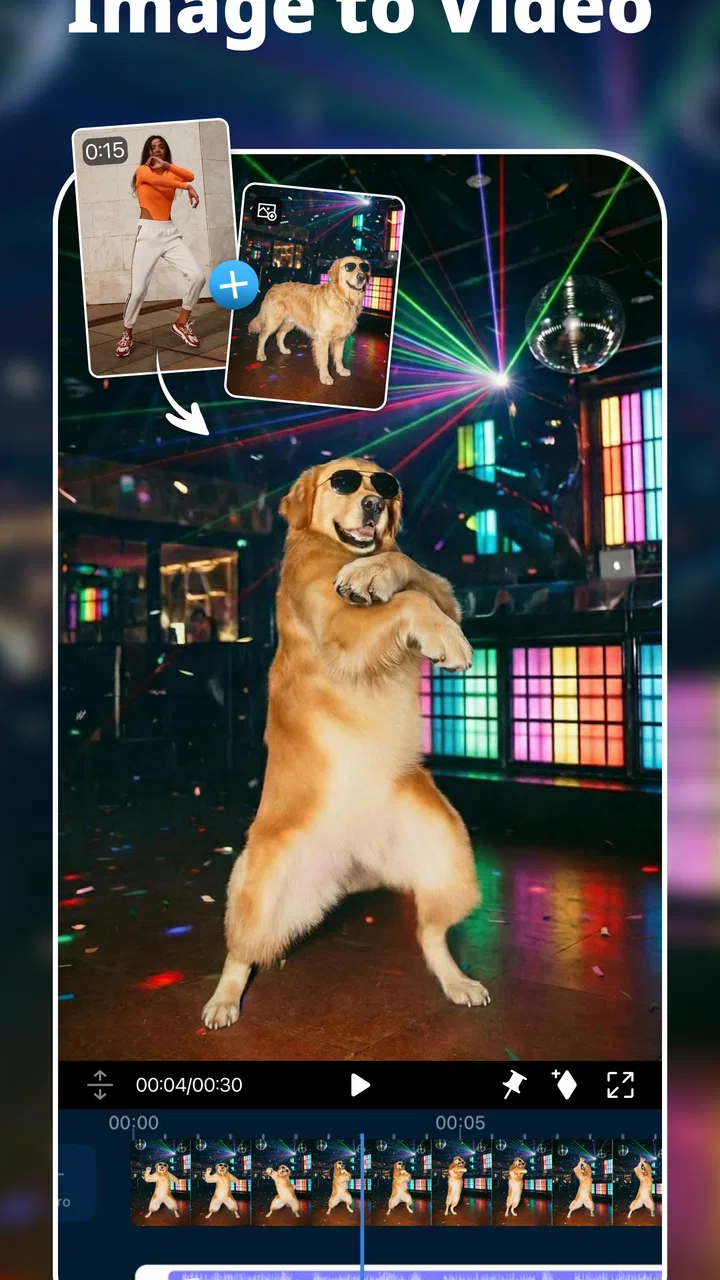
Its category, video players and editors, can sound broad, but this is much more about creating and refining video than simply watching it. The store summary highlights movie making, editing, AI effects, and green screen work, and those areas reflect the app’s more ambitious side. I would not install it merely to play local videos; I would choose it when I want to turn raw footage into something presentable.
Speed expectations before you begin
Perceived speed depends heavily on what I am asking the project to do. Cutting a short clip and adding a simple title feels like a light task. A project with several layers, high-resolution footage, animated effects, and background processing is naturally more demanding. The app can feel quick during basic arrangement, but editing is not the same as browsing a gallery: every preview and adjustment may involve more work from the device.
A useful approach is to separate editing from polishing. I first arrange the clips and remove mistakes, then add transitions, color adjustments, AI effects, or green-screen work near the end. This keeps the timeline easier to manage and makes it simpler to identify what is causing any slowdown. It also prevents me from spending time perfecting an effect on a section that I later delete.
I would also keep the original footage organized before opening a large project. Clear filenames or a small, dedicated selection of clips reduce the time spent loading and locating material. That is not a glamorous tip, but it makes a noticeable difference to the editing experience because the app becomes a tool for decisions rather than a place where I sort an entire camera roll.
The current version is 16.1.5, and the app supports devices running Android 9 or later. That broad operating-system reach is convenient, but it should not be mistaken for a promise of identical performance across every compatible phone. A newer device with more comfortable hardware will generally be a better environment for layered editing than an older model that technically meets the software requirement.
Where heavier projects begin to test the phone
The demanding moments arrive when I combine multiple visual elements. Green-screen editing, for example, is more involved than placing a sticker over a clip because the app has to separate the subject from the background and show the result in context. AI effects can also make a project feel heavier than ordinary trimming, especially when I repeatedly preview changes instead of applying them after the rough cut is settled.
Longer source videos create another practical challenge. Even when the final result is short, a project can become awkward if it contains many unused sections. I prefer to trim obvious dead space early and keep a separate copy of the original material. That gives me a cleaner working timeline without sacrificing the source footage if I change my mind later.
Exporting is the point where patience matters most. I would avoid treating the phone as if it were doing nothing while a complex video is being prepared. Keeping the device available for other demanding tasks can make the overall process feel less predictable, so I normally let the export finish before switching to another intensive app. For an important video, I also watch the completed file from beginning to end rather than assuming that a successful export automatically means every transition and title looks right.
One of my favorite practical uses is a family event recap. I can select a few short moments, place them in chronological order, use text to identify the occasion, and add a restrained effect rather than covering every shot with animation. PowerDirector is well suited to this because it gives a casual project enough structure to feel intentional without requiring me to learn a desktop editor first.
Stability and recovering from mistakes
Reliability in a mobile editor is not only about whether it opens. It is also about how safely I can experiment, undo a bad decision, and return to a project after an interruption. I recommend saving or preserving project progress regularly, especially before trying a complicated effect or making a large change to the timeline. That simple discipline matters more in a video editor than in a basic photo app because a project may represent a substantial amount of arranging and reviewing.
I also avoid making every decision inside one enormous project. For a long event, I might make separate sections first and combine only the strongest material later. This reduces clutter and gives me a clearer recovery path if I decide that one part needs to be rebuilt. It is a workflow advantage rather than a special feature, but it makes the app feel more manageable during real use.
When something looks wrong, I check the timeline before blaming the export. A title may be positioned outside the visible portion of a clip, an effect may be attached to a different segment than intended, or a transition may change the timing enough to make a cut feel abrupt. Reviewing the project at normal playback speed, not only while dragging the playhead, catches issues that are easy to miss during fast editing.
I would describe the experience as dependable when I work methodically, but not frictionless. The app asks me to pay attention to project complexity, source organization, and final checking. That is a reasonable expectation for a feature-rich editor, though people wanting an instant result may find the process more involved than they hoped.
Device limits, storage, and comfort
Because PowerDirector handles video rather than small text documents, device constraints matter. Storage is an obvious concern: original camera files, temporary project material, and finished exports can occupy much more room than expected. Before starting a substantial edit, I would check available space and remove unnecessary duplicates. Running out of room near the end of a project is one of the most frustrating problems a mobile editor can create, even when the editing itself has gone smoothly.
Screen size changes the experience too. On a larger phone or tablet, timeline controls and preview windows are easier to inspect. On a compact display, precise adjustments can feel cramped, particularly when I am working with several clips or trying to position text accurately. The app remains useful on a smaller screen, but I would reserve detailed projects for the most comfortable device available.
Battery and heat are also worth considering during longer sessions. I would not begin a complex edit when the phone is nearly empty, and I would avoid stacking other demanding activities on top of editing. These are sensible precautions for mobile video work in general, but they are especially relevant when using AI effects, green-screen processing, and multiple layers rather than only trimming one recording.
The minimum operating-system requirement is Android 9, which makes the app accessible to a wide range of Android users. Still, compatibility is only the starting point. If your phone is older, has limited free storage, or struggles with other demanding creative apps, I would begin with a short test project before committing to a large production. That lets you judge the actual comfort of your device without putting an important video at risk.
What the paid model changes in practice
PowerDirector is free to install, which makes it easy to explore the editing workflow before deciding whether it belongs in your regular toolkit. There are in-app purchases ranging from $0.99 to $249.99 per item. I would treat that range as a reason to inspect the purchase screen carefully and decide what you genuinely need, rather than assuming that every creative option should be unlocked immediately.
For occasional users, the free starting point may be enough to learn the interface and produce simple projects. Frequent creators may be more willing to pay for expanded creative access, but the right decision depends on how often the app becomes part of your routine. I would not pay simply because a project feels difficult; first I would simplify the timeline, reduce unused footage, and decide whether the limitation is genuinely blocking the result.
This is also where PowerDirector differs from a very simple free editor. Basic alternatives may feel less intimidating and may be perfectly adequate for trimming, joining, and adding one caption. PowerDirector makes more sense when I want the option to grow into layered editing, AI-assisted creativity, or green-screen composition. Its broader toolset is valuable only if I am prepared to spend time learning and using it.
Who will get the most from this app
I would recommend it to someone who wants to make polished videos directly on a phone without starting with a desktop workflow. It suits creators preparing short-form content, parents assembling family highlights, travelers building recaps, students making visual presentations, and small teams producing straightforward clips for social channels. The combination of timeline editing and more advanced visual tools gives these users room to improve rather than forcing them to replace the app after learning the basics.
It is especially useful when the source material is uneven. A day of filming may contain shaky starts, long pauses, repeated takes, and unrelated clips. PowerDirector gives me a place to turn that messy collection into a sequence with a clear rhythm. I can keep the opening concise, place the strongest moment where it has impact, and use text only where the viewer needs context.
I would suggest skipping it if your only goal is to crop a video, remove a few seconds, or share a recording immediately. A lighter editor will probably feel faster and less distracting. I would also look elsewhere if you need a highly specialized professional workflow with extensive desktop-style collaboration or precision color work. PowerDirector is capable for mobile creation, but capability is not the same as being the best tool for every production level.
Another group that may hesitate is anyone who dislikes subscription-style or item-based purchasing decisions. The free entry point is helpful, but the presence of in-app purchases means I would review the available options before building a workflow around a particular effect. If you prefer a single, predictable purchase with no further decisions, a different editor may feel more comfortable.
Three workflows that reveal its strengths
For a travel video, I would first create a short story rather than a complete diary. I select establishing shots, people, food, and one or two memorable details, then arrange them by location or mood. After that, I add a title and use effects sparingly. The non-obvious benefit is control over emphasis: I can remove repetitive footage instead of letting the length of the original recordings dictate the final video.
For a tutorial, I would record the explanation in small sections instead of one uninterrupted take. That makes it easier to remove mistakes and insert supporting footage where the viewer needs to see an action. Text can reinforce a key step, but I would keep it brief and place it close to the moment being explained. This workflow turns the timeline into an editing aid, not merely a row of clips.
For green-screen work, I would choose a background with enough visual contrast and keep the subject reasonably separated from it. I would preview the composite at normal playback speed, because a result that looks acceptable while paused may reveal distracting edges or timing problems in motion. The trade-off is that creative freedom increases alongside the need for careful lighting, framing, and review; the app cannot make poorly prepared source footage automatically look natural.
AI effects are best treated as accents in my experience. Applying them to every shot can make a video feel noisy and can complicate the timeline. I prefer to identify one moment where an effect adds meaning, such as emphasizing a reveal or changing the mood of a transition. This is one of the easiest ways to make the finished result look more deliberate while keeping editing and preview demands under control.
My performance verdict after regular use
PowerDirector is a strong choice when I want serious creative control on Android and I am willing to manage the project sensibly. Its performance feels best with organized source material, a clean timeline, and effects added after the main edit. The app’s broad reach is reflected in its popularity: it has passed 100 million installs, carries a 4.2 average from around 1.7 million ratings, and has accumulated roughly 68 thousand written reviews. Those figures do not replace personal testing, but they help explain why it remains a prominent option in mobile video editing.
The developer is Cyberlink Corp, and the app has been available since June 4, 2014. It is rated for Everyone, which makes it approachable for general audiences, although the creative decisions involved in editing still require some patience and judgment. I would describe the experience as accessible at the entry level and increasingly demanding as projects become longer, more layered, or more effect-heavy.
My final recommendation is straightforward: choose it if you want your phone to become a genuine editing workspace, not just a place to make quick cuts. Start with a small project, keep the original footage safe, build the rough sequence first, and check the finished export from start to finish. If you follow that approach, PowerDirector offers a useful balance between approachable mobile editing and more ambitious tools. If you only need instant trimming, its extra depth may feel like unnecessary weight rather than an advantage.
FAQs for PowerDirector - Video Editor
01What features does PowerDirector offer for video editing?
PowerDirector provides a comprehensive suite of editing tools, including timeline editing, multi-track support, and a wide range of effects and transitions. Users can also access advanced features like keyframe controls, chroma key for green screen effects, and video stabilization. The app supports 4K video resolution, making it suitable for both casual and professional use.
02Is PowerDirector suitable for beginners in video editing?
Yes, PowerDirector is designed to be user-friendly, featuring an intuitive interface that beginners can easily navigate. It offers a range of templates and guided tutorials to help new users get started quickly. Despite its accessibility for novices, it also includes advanced features that cater to more experienced editors.
03Can PowerDirector be used on both Android and iOS devices?
PowerDirector is available for both Android and iOS platforms, ensuring wide compatibility across devices. It is optimized for mobile use, allowing users to edit videos on-the-go. The app provides a seamless editing experience on smartphones and tablets, with cloud-saving options for easy access and transfer of projects.
04Does PowerDirector offer in-app purchases or subscriptions?
PowerDirector offers both free and premium versions. The free version includes basic features but may have some limitations like watermarks on exported videos. Users can upgrade to a subscription plan for additional features, such as access to premium content, advanced editing tools, and removal of watermarks. Subscription plans are available on a monthly or annual basis.
05What are the system requirements for running PowerDirector smoothly?
To run PowerDirector effectively, your device should meet the minimum system requirements. For Android, it requires at least Android 5.0 Lollipop, while iOS devices should have iOS 11.0 or later. Adequate storage space and RAM are essential for handling video files, especially for 4K editing. It’s recommended to have a device with a robust processor for optimal performance.
Pros
- User-friendly interface for quick edits.
- Supports 4K video resolution exports.
- Rich library of effects and transitions.
- Chroma key for green screen editing.
- Frequent updates with new features.
Cons
- Watermark in free version exports.
- Occasional app crashes during heavy edits.
- Limited features in the free version.
- Ads can be intrusive at times.
- Large file sizes may slow down older devices.

PowerDirector - Video Editor
Gallery